Using Templates in Structure Prediction
Both AlphaFold3 and Boltz2 have the option to use an existing 3D structure as a template to guide the prediction.
Boltz2
In the Boltz input, only a template .cif or .pdb file and a some information of the chain is needed. The program finds the residues cirectly. For more information see the Boltz2 documentation on templates.
AlphaFold3
For AlphaFold3, a .cif file is needed. .pdb files have to be converted to .cif using e.g. pymol or chimera. Note that AlphaFold3 expects specific fields in the .cif file to be present. You can modify the file using a text editor. Especially the _pdbx_audit_revision_history.revision_date needs to be present. For more details see here.

Additionally, a list of incides in the query and template sequence is required, that defines mapping from query residues to template residues. For more information see the AlphaFold3 documentation on templates.
If you want to use the template locally, only these lists are required. To use templates on the AlphaFold3 server, a mapping file is required. Both the list of indices and the mapping field can be created using our jupyter notebook AFold3_mapping.ipynb. This notebook does not need to be executed on bwVisu, but you can run it locally on your computer - or conveniently in Google Colab.
Using Templates on bwVisu or other local installations
Once you created the list of incides in the query and template sequence, you can start with the MSA calculation as usual. You can also recycle a previously calculated MSA. Then you need to modify the input *_data.json file in the output/ directory to add the information on the reference .cif file and residue lists:
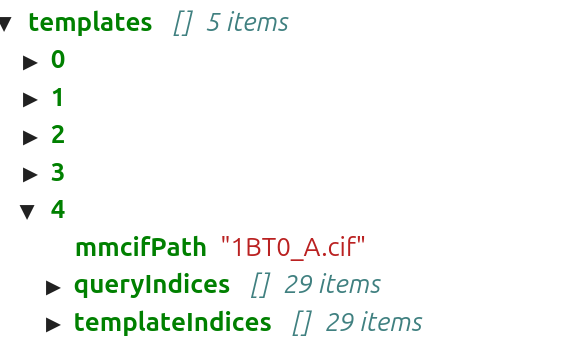
Note that the .cif file needs to be uploaded into the same directory as the *_data.json file.
Using Templates on the Alphafold3 Server
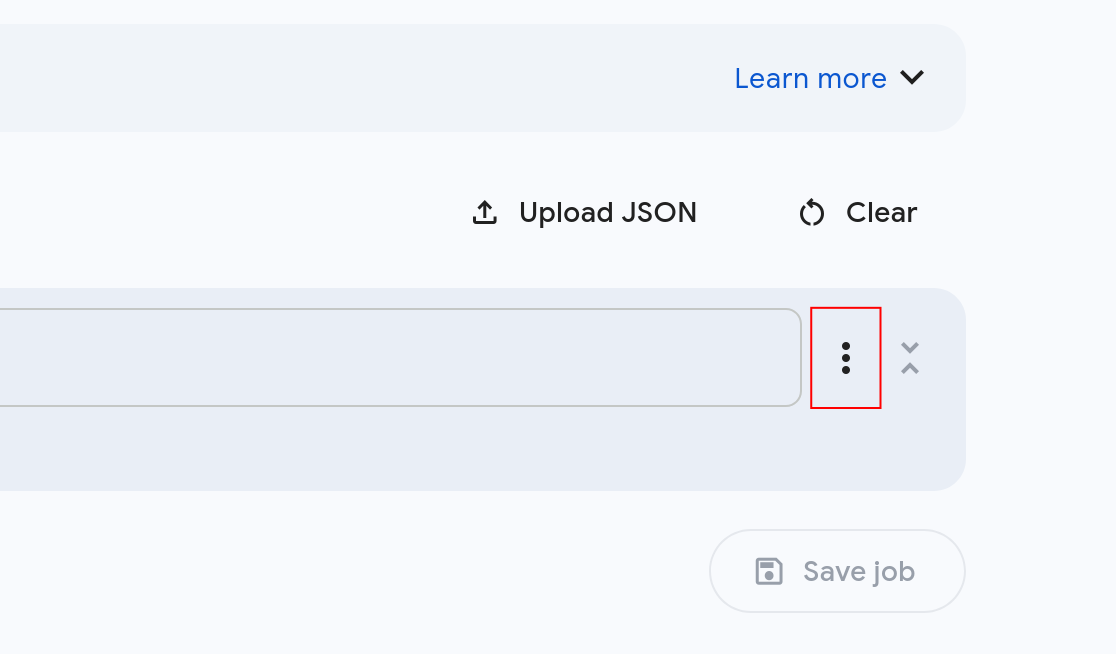
On the AlphaFold3 server, you can upload the template .cif and the mapping file by clicking on the three dots next to your sequence and choose template settings:
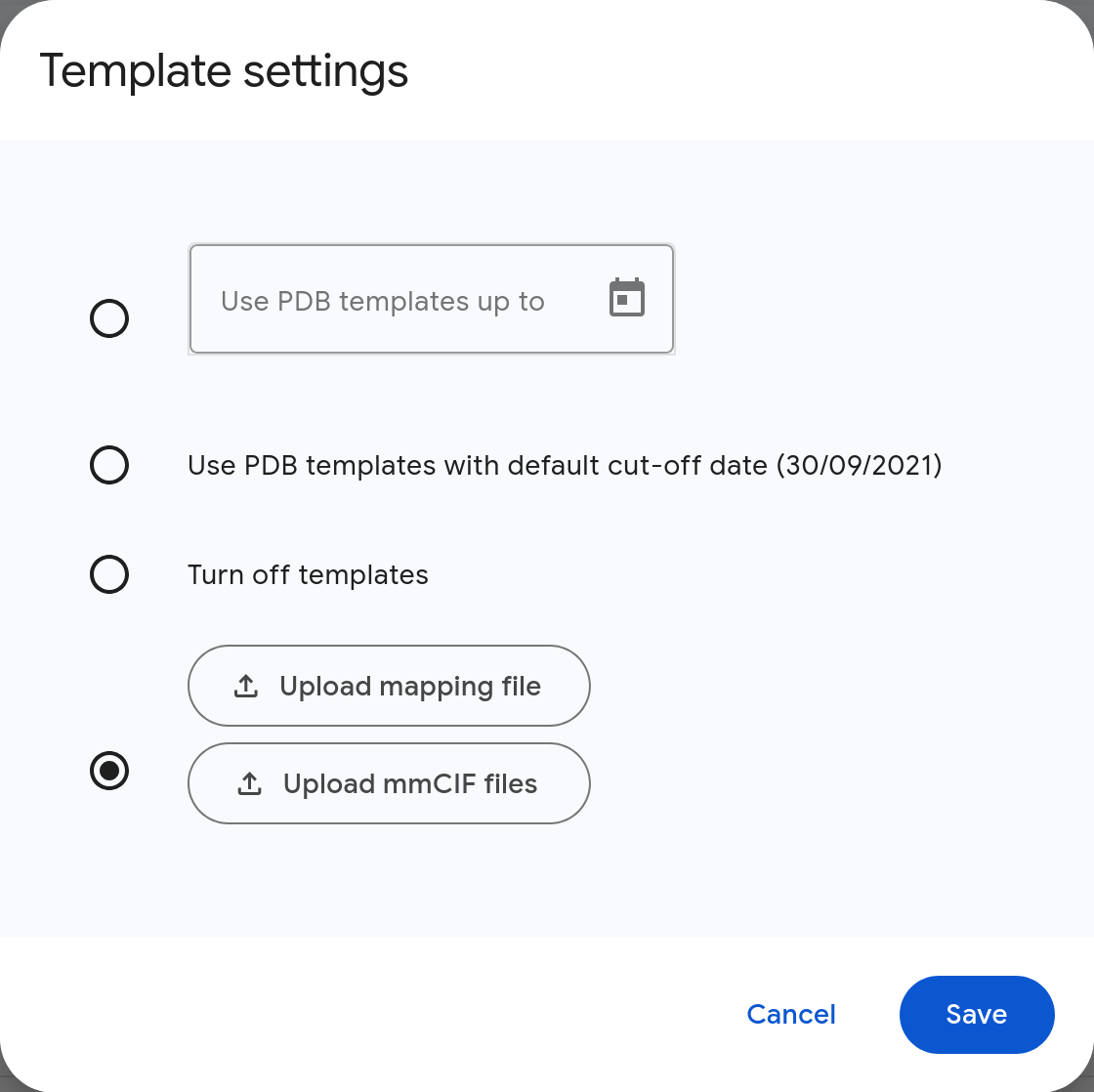
This opens the template menu, where you can upload the .cif and the mapping file: